For the complete documentation index, see llms.txt. Markdown versions of all docs pages are available by appending .md to any docs URL.
Virtual models
Verified : Code examples on this page have been automatically tested and verified.Configure virtual models with weighted, failover, conditional, and callout routing in simplified LLM mode.
Virtual models let you publish one client-facing model name and route requests across one or more internal target models.
Use llm.virtualModels[] to define the virtual entrypoint and llm.models[] as the concrete upstream targets.
To see which target served a request, check the access log or the trace span. The agw.ai.original_model attribute records the virtual model name that the client sent, and gen_ai.request.model records the model that the selected target sends to the provider. For more information, see Generative AI attributes.
Tip
Compare provider prefixes, exact names, wildcards, and custom names in Choose how to expose models.
Public and internal models
Use llm.models[].visibility to control whether a model is directly exposed to clients or kept as an internal target.
public: The model can be requested directly by clients and can also be used as a virtual model target.internal: The model is intended for internal routing targets and is not exposed as a direct client model.
The model drawer in the UI has no field for visibility. To set it in the UI, open the model, click the Raw icon (<>) in the drawer header, and add the visibility field to the YAML. When you edit a model in the form, the UI keeps the visibility value that the model already has.
Route selection modes
Each virtual model defines its routing strategy under routing.
The routing targets in a virtual model point to concrete llm.models[] entries.
Weighted routing
Use routing.weighted.targets to split traffic between targets with weight.
Start agentgateway with the target models. The model drawer has no
visibilityfield, so this configuration sets it for you.cat <<'EOF' > config.yaml llm: models: - name: gpt-4o-public visibility: public provider: openAI params: model: gpt-4o apiKey: "$OPENAI_API_KEY" - name: gpt-4o-primary visibility: internal provider: openAI params: model: gpt-4o apiKey: "$OPENAI_API_KEY" - name: gpt-4o-fallback visibility: internal provider: openAI params: model: gpt-4o-mini apiKey: "$OPENAI_API_KEY" EOF agentgateway -f config.yamlOpen LLM > Models in the UI, such as http://localhost:15000/ui/llm/models, and click Add virtual model.
Enter
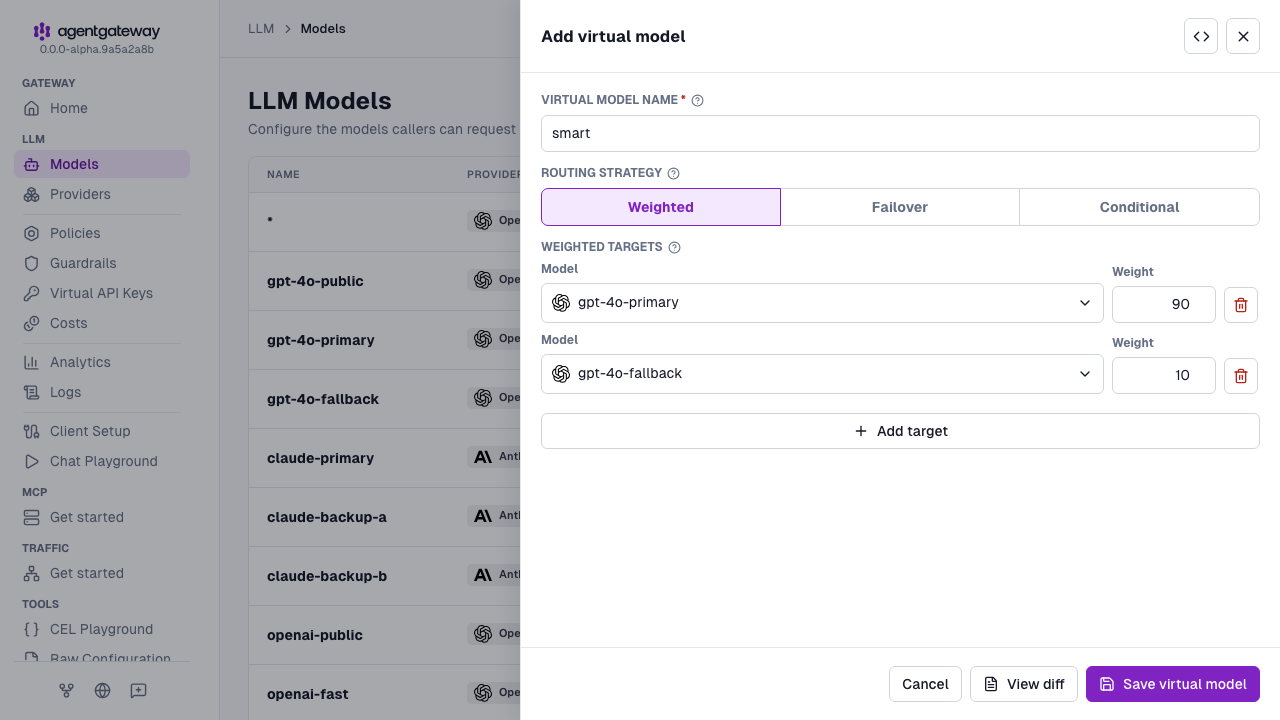
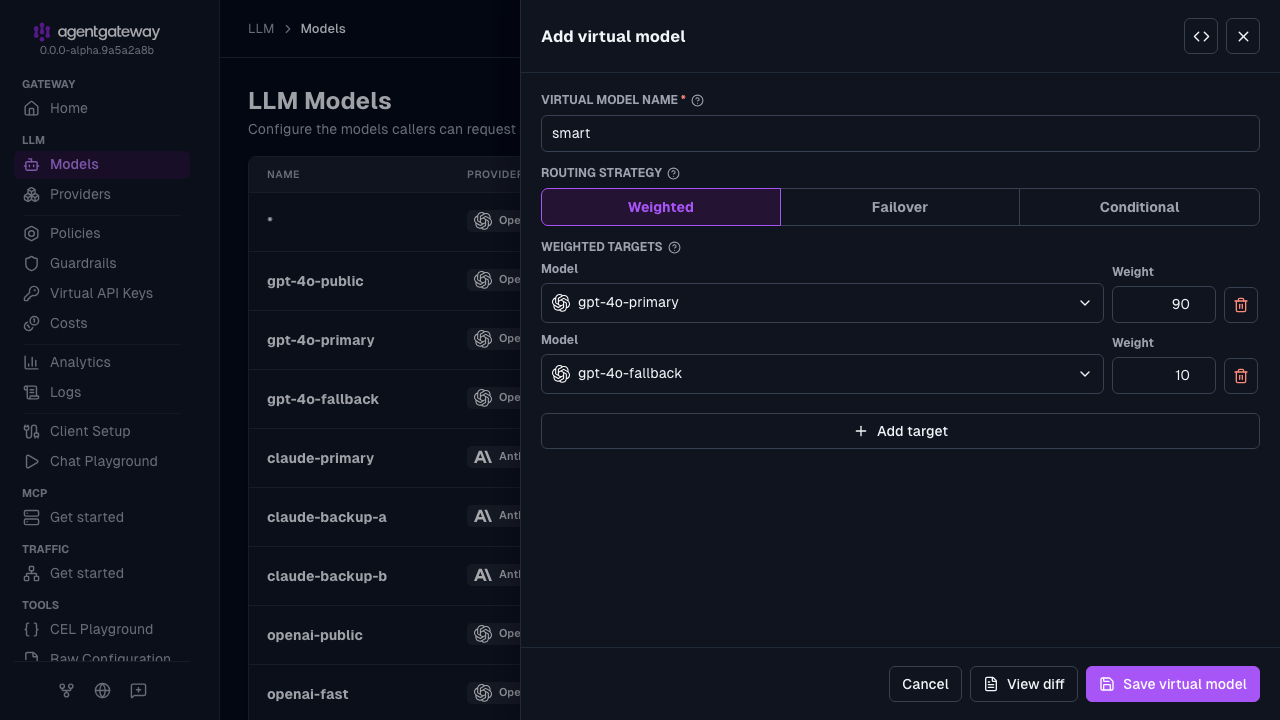
smartfor the Virtual model name.For the Routing strategy, keep Weighted.
In the Weighted targets section, configure the targets.
- In the target row that the UI adds, select
gpt-4o-primaryfrom the Model dropdown, and enter90for the Weight. - Click Add target. In the new target row, select
gpt-4o-fallbackfrom the Model dropdown, and enter10for the Weight.
- In the target row that the UI adds, select
Click Save virtual model.
Whether the UI can save depends on your storage mode. For more information, see Save changes from the UI.
Failover routing
Use failover (also called automatic fallback) to keep serving when a primary model fails or becomes unavailable. Configure routing.failover.targets with priority on the virtual model. When a virtual model has more than one priority group, agentgateway enables default eviction for target models that do not set their own health policy, so unhealthy backends can leave the active set.
Failover has two levels of grouping:
- Priority groups: Targets with the same
priorityform one group. Lower priority values are preferred first. For example, priorities0,0, and1become[[a, b], [c]]. - Within a group: Agentgateway load balances across targets by using a composite score of health and latency. Healthier, faster targets are favored.
Across priority groups, traffic moves to the next group only after every target in the current group is evicted. Lowering a health score alone is not enough to spill over to the next priority.
Health vs eviction
Configure health on the concrete llm.models[] entries that the virtual model targets (not on the virtual model itself).
| Setting | What it does |
|---|---|
No health policy | The default unhealthy classifier covers 5xx responses, server-side gRPC failures (UNKNOWN, DEADLINE_EXCEEDED, INTERNAL, UNAVAILABLE, and DATA_LOSS), and connection failures. When the virtual model has more than one priority group, these failures use default eviction: a single unhealthy response evicts the endpoint for 3s, and each repeated eviction lasts longer. Traffic fails over to the next priority. |
health without eviction | Setting health replaces the default eviction instead of adding to it. You can use health.unhealthyExpression to classify additional responses, such as 429, as unhealthy. Without an eviction block, the endpoint is evicted only when a retry policy’s backoff, or a Retry-After header on a response that is classified as unhealthy, supplies an eviction duration. To keep the default eviction settings, add eviction: {}. |
health.eviction | Override how long an unhealthy endpoint leaves the active set, and which thresholds trigger eviction. When every endpoint in a priority group is evicted, later requests use the next priority. |
You do not need a health policy for basic failover on server errors or connection failures. To classify rate-limit responses, tune eviction timing, or change eviction thresholds, add a health policy that includes an eviction configuration.
Useful health fields:
unhealthyExpression: Optional CEL expression;truemarks the response unhealthy. When unset, any5xx, server-side gRPC failure, or connection failure is unhealthy.eviction.duration: Base time to keep an endpoint evicted. When you omitduration, agentgateway uses theRetry-Aftervalue from a 429 response, then thebackofffrom a retry policy, and then a default of3s. Repeated evictions use multiplicative backoff, with no upper bound.eviction.consecutiveFailures: Unhealthy responses required before eviction. When this andhealthThresholdare both unset, a single unhealthy response can evict.eviction.healthThreshold: Evict when the endpoint health score (0.0–1.0) is below this value. Either this orconsecutiveFailurescan trigger eviction when both are set.eviction.restoreHealth: Optional health score (0.0–1.0) to apply when the endpoint returns from eviction.
Failover is driven by eviction of the active set, not by rewriting a single in-flight request to another target. The request that triggers eviction still fails unless you also configure retries so a later attempt can re-select a provider after eviction.
Start agentgateway with the target models and their health policies.
cat <<'EOF' > config.yaml
llm:
  models:
  - name: claude-primary
    visibility: internal
    provider: anthropic
    params:
      model: claude-sonnet-4-0
      apiKey: "$ANTHROPIC_API_KEY"
    health:
      eviction:
        consecutiveFailures: 1
        duration: 60s
  - name: claude-backup-a
    visibility: internal
    provider: anthropic
    params:
      model: claude-3-5-haiku-20241022
      apiKey: "$ANTHROPIC_API_KEY"
    health:
      eviction:
        consecutiveFailures: 1
        duration: 60s
  - name: claude-backup-b
    visibility: internal
    provider: anthropic
    params:
      model: claude-3-5-haiku-20241022
      apiKey: "$ANTHROPIC_API_KEY"
    health:
      eviction:
        consecutiveFailures: 1
        duration: 60s
EOF
agentgateway -f config.yaml
To edit a health policy in the UI instead, open the model, and expand Advanced > Model policies > Health. The section has fields for the Unhealthy expression, Eviction duration, Consecutive failures, Health threshold, and Restore health.
Open LLM > Models, and click Add virtual model.
Enter
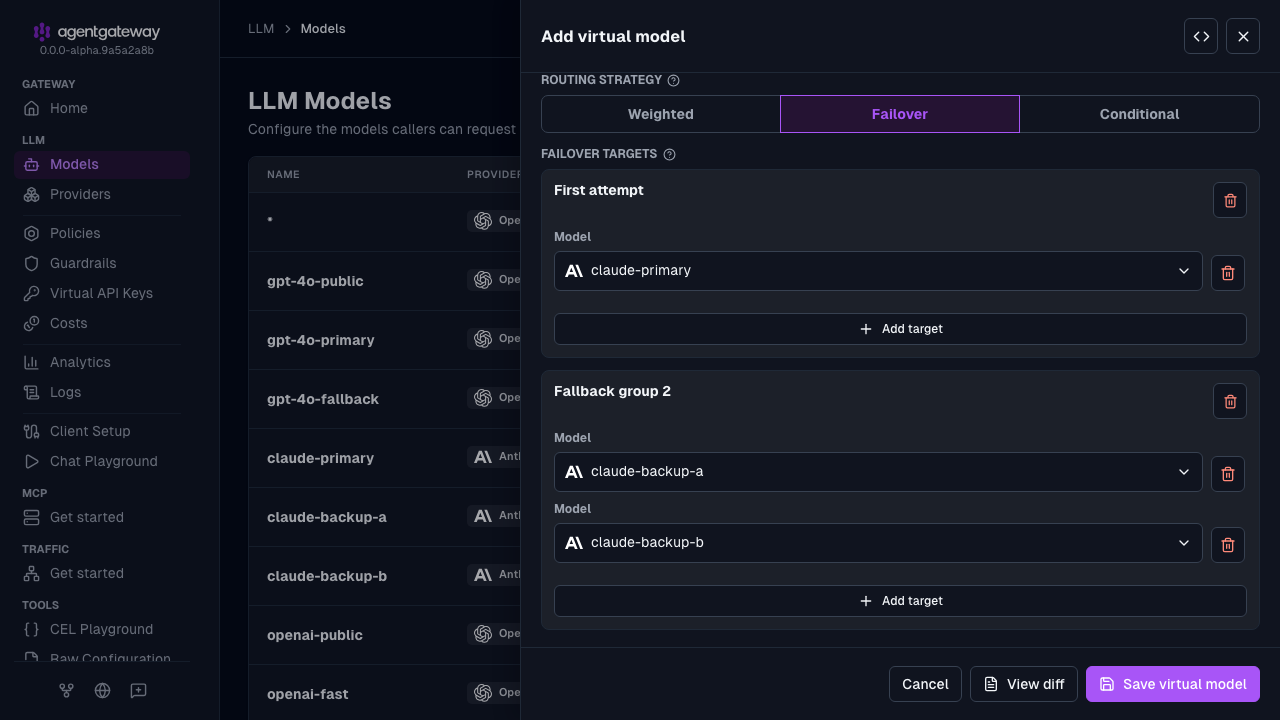
resilientfor the Virtual model name.For the Routing strategy, select Failover.
In the First attempt group, select
claude-primaryfrom the Model dropdown. The UI writes this group aspriority: 0.Click Add fallback group. In the new group, select
claude-backup-a.In the same group, click Add target, and select
claude-backup-b. Both targets in this group getpriority: 1.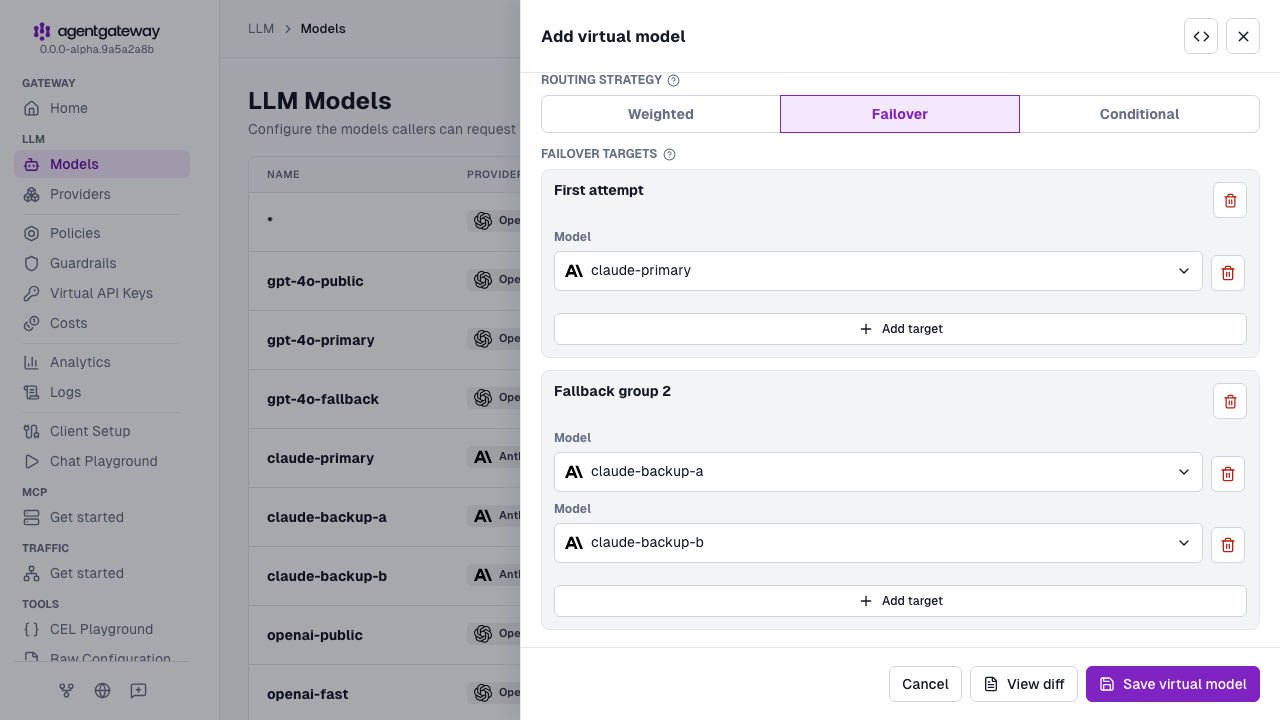
Click Save virtual model.
In this example:
- Requests prefer
claude-primary(priority: 0). - After an unhealthy response meets the eviction thresholds,
claude-primaryis removed from the active set forduration. - Later requests fail over to the
priority: 1group and load balance betweenclaude-backup-aandclaude-backup-bby health and latency. - Within that backup group, a degraded target is weighted down; the other backup continues to receive more traffic until the degraded target recovers or is also evicted.
Conditional routing
Use routing.conditional.targets and when expressions to select targets by request context.
Start agentgateway with the target models.
cat <<'EOF' > config.yaml
llm:
  models:
  - name: openai-public
    visibility: public
    provider: openAI
    params:
      model: gpt-4o-mini
      apiKey: "$OPENAI_API_KEY"
  - name: openai-fast
    visibility: internal
    provider: openAI
    params:
      model: gpt-4o-mini
      apiKey: "$OPENAI_API_KEY"
  - name: openai-smart
    visibility: internal
    provider: openAI
    params:
      model: gpt-4o
      apiKey: "$OPENAI_API_KEY"
EOF
agentgateway -f config.yaml
Open LLM > Models, and click Add virtual model.
Enter
adaptivefor the Virtual model name.For the Routing strategy, select Conditional. The UI adds a Rule 1 card and a Fallback card, each with a Condition and a Target model.
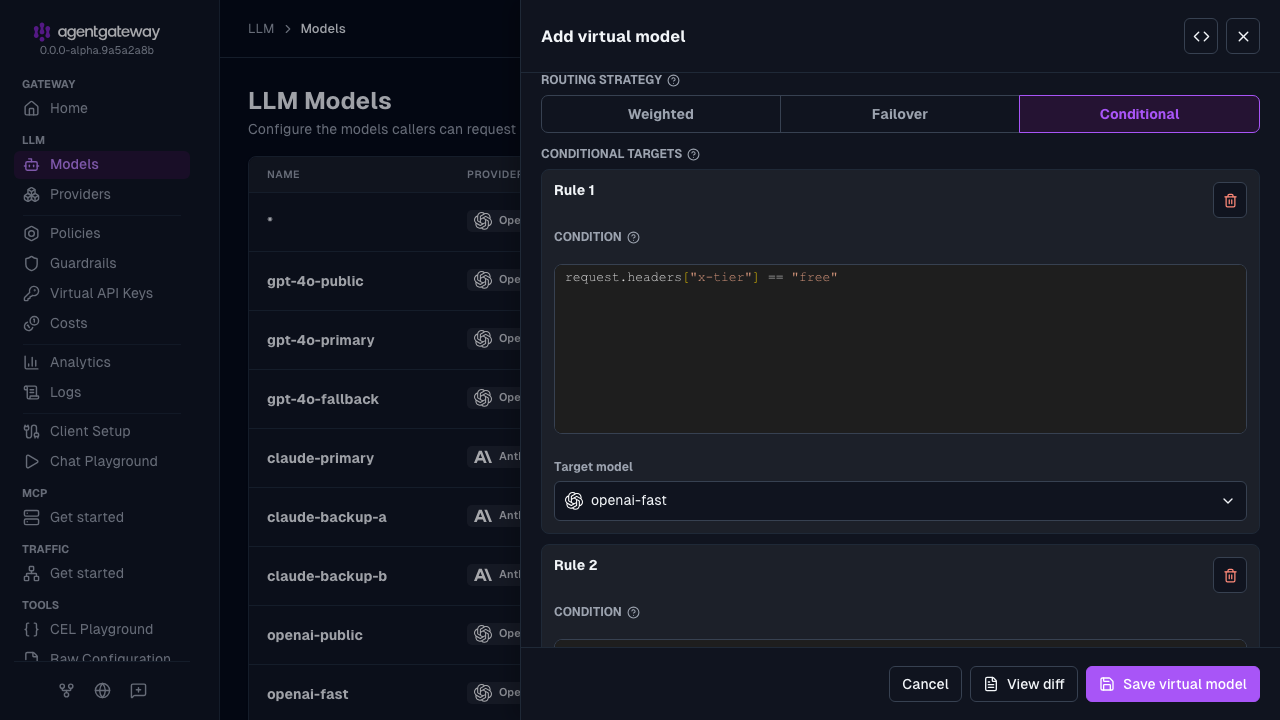
In Rule 1, replace the Condition with
request.headers["x-tier"] == "free", and selectopenai-fastas the Target model.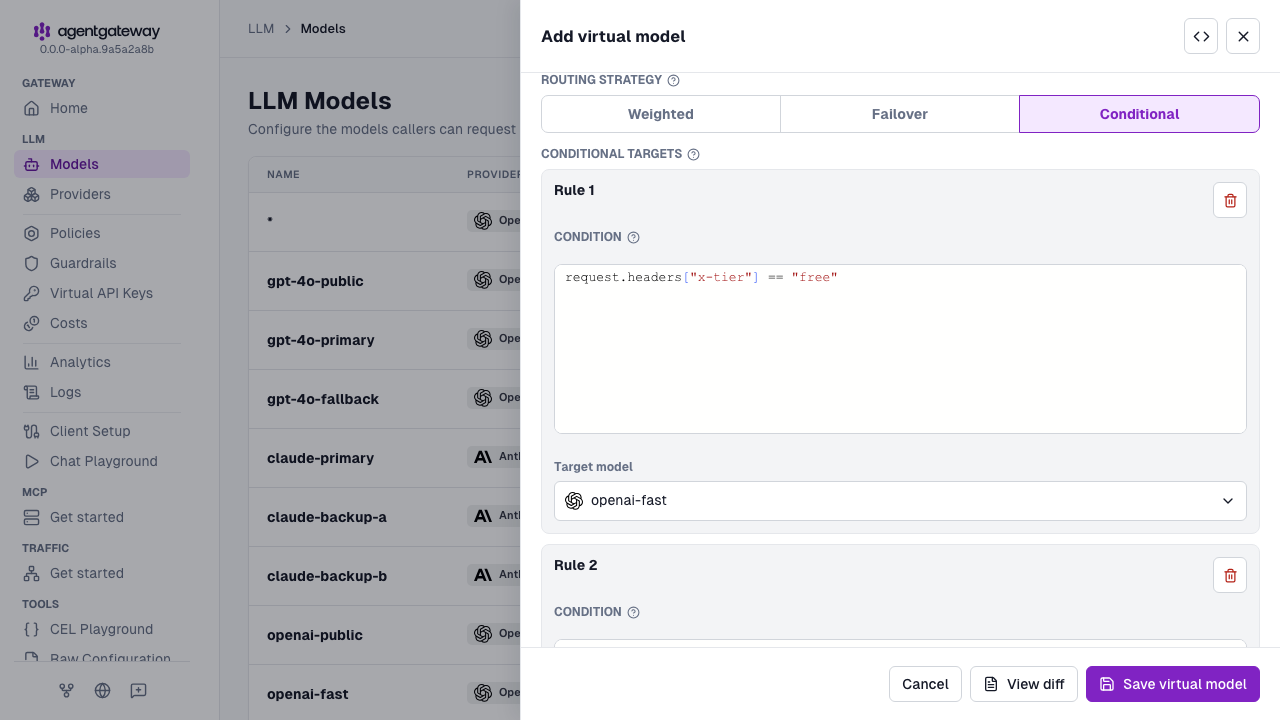
In the Fallback card, enter
request.headers["x-tier"] == "pro"as the Condition, and selectopenai-smartas the Target model. With a condition, the card becomes Rule 2.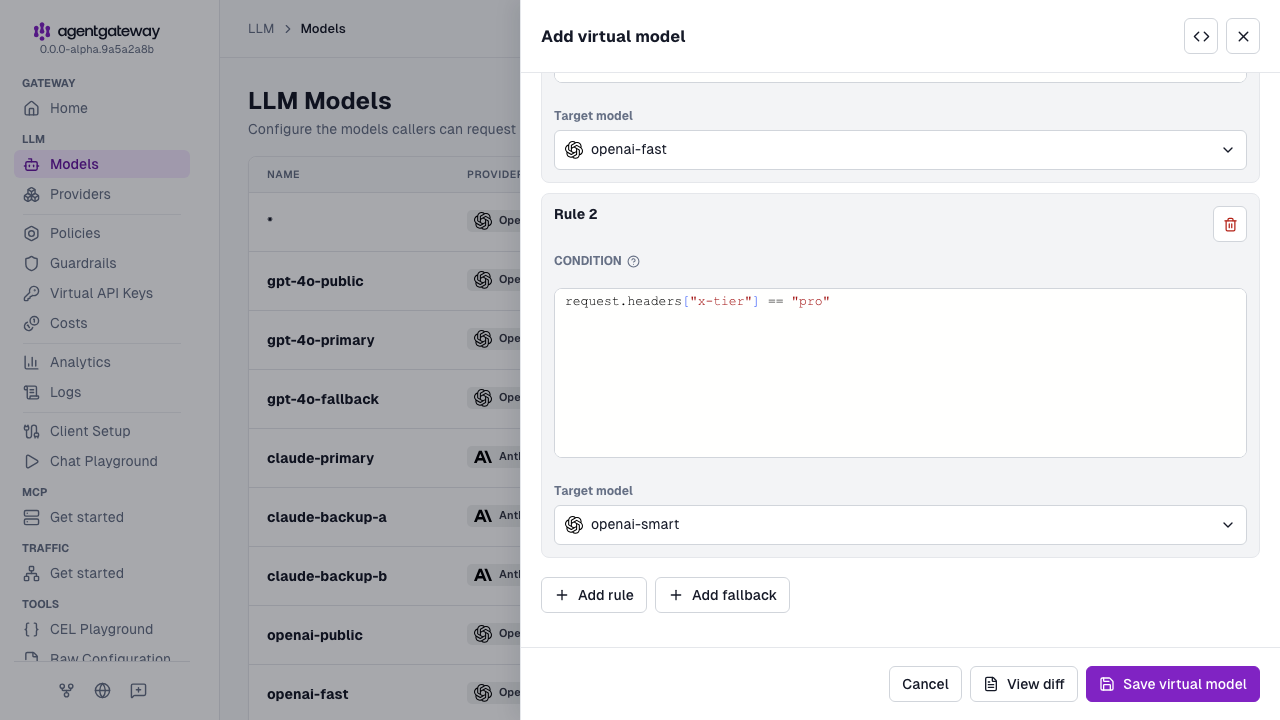
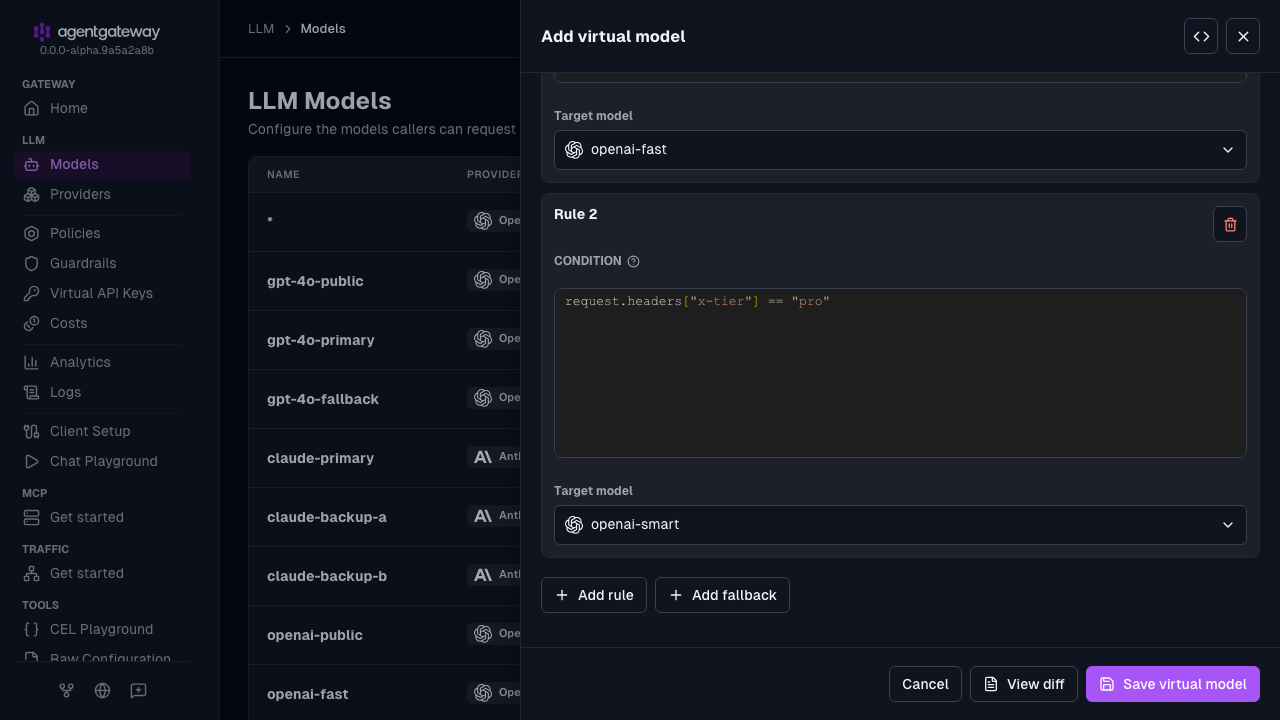
Click Save virtual model.
To send requests that match no condition to a default model, leave the Condition of the last card empty. Only the last card can omit a condition.
Callout routing
Use routing.callout to send each request to an external HTTP service that selects the target model. Use callout routing when the routing decision depends on logic outside the configuration, such as a service that scores the complexity of the prompt or tracks the state of an agent session.
Each request to the virtual model triggers a POST request to the callout service, which must return a 2xx response with a JSON body. The callout request carries a content-type header and only the headers that you set in headers. Client request headers, such as Authorization or a session header, are not forwarded. The transformation expressions read that response from the callout CEL variable. callout.body is the decoded JSON body and callout.headers holds the response headers. The model expression selects the target. The other transformation keys set fields in the request body before the request goes to the selected model.
llm:
  models:
  - name: gpt-5.6-luna
    visibility: internal
    provider: openAI
    params:
      apiKey: "$OPENAI_API_KEY"
  - name: gpt-5.6-terra
    visibility: internal
    provider: openAI
    params:
      apiKey: "$OPENAI_API_KEY"

  virtualModels:
  - name: auto
    routing:
      callout:
        host: http://127.0.0.1:8000/route
        body: '{"messages": llmRequest.messages}'
        transformation:
          model: callout.body.model
          reasoning_effort: callout.body.reasoning_effort
        failureMode:
          fallback: gpt-5.6-luna
        cache:
          key:
          - request.headers["x-session-id"]
          ttl: 10m
In this example, a client requests the auto virtual model. The callout service at http://127.0.0.1:8000/route receives the request messages and returns a body such as {"model": "gpt-5.6-terra", "reasoning_effort": "medium"}. The request goes to gpt-5.6-terra with reasoning_effort set to medium. Requests with the same x-session-id header reuse the first response for 10 minutes, so the session stays on one model.
The request goes to the fallback model gpt-5.6-luna when one of the following happens:
- The callout service cannot be reached, or does not respond within the timeout.
- The response status is not
2xx, or the response body is not JSON. - The
modelexpression fails or does not return a string. - The selected model does not match an entry in
llm.models[].
The fallback model gets the request without the transformation changes.
Use the following fields to configure callout routing:
| Field | Description |
|---|---|
host | The callout service, as a URL that can include the request path, such as https://router.example.com/v1/route. An https URL turns on TLS. Without a path, the request goes to /. |
backend | Instead of host, a backend from the top-level backends list, written as /<name>, such as /router. A bare name such as router fails every callout with a service not found error. |
name and port | Instead of host, a service from the top-level services list and the port to call, set directly on callout. |
policies | Optional backend policies for the connection to the callout service, such as TLS, authentication, and timeouts. The default request timeout is 10 seconds. |
body | Optional CEL expression that builds the callout request body. A string or bytes value is sent as is, and any other value is sent as JSON. If you omit body, the callout service receives the original request body. |
headers | Optional map of headers to set on the callout request. Each value is a CEL expression, so quote a literal string twice, such as '"Bearer router-token"'. To pass a client header to the callout service, read it from the request, such as x-session-id: request.headers["x-session-id"]. If an expression fails, such as when the client did not send that header, the header is left out. Keys can also be the :path, :method, and :authority pseudo-headers. A backend or service target has no path, so set ":path": '"/v1/route"' to call a path other than /. |
transformation | Required map of request body fields to CEL expressions that read callout. The model key is required. The other keys override fields in the request body. If a key’s expression fails, such as when the response does not contain the field, that field is removed from the request. The keys apply only to requests that carry the model in a JSON body. |
failureMode | Optional. The default, failClosed, rejects the request with a 503 response and the virtual_model_callout_failed error code. Set fallback to the name of an llm.models[] entry to route to that model instead. The configuration is rejected if the fallback model does not exist. |
cache | Optional cache for callout responses. key is a list of CEL expressions that make up the cache key. If a key expression fails, such as when the header is missing, the response is not cached. ttl is a duration such as 10m, or a CEL expression that can read callout and returns a duration or a timestamp. maxEntries sets the maximum number of cached responses. On a cache hit, transformation runs against the cached response. |
For complete examples that include a callout service, see llm-callout-jev and llm-callout-switchyard in the agentgateway repository.
Note
For reusable provider defaults in simplified mode, see Multiple LLM providers.
To inspect or update virtual models and their target models on a running gateway from the command line, see Manage config resources with agctl.